
Find, install, and track Mac app updates. All in one place.
macCurrent finds and installs supported Mac app updates in one place. Review what will change, then install eligible updates or open the App Store or developer's installer when needed.
Universal appOne download for Apple silicon and Intel Macs running macOS 15 or later.
Product facts
What is macCurrent?
macCurrent finds and installs supported Mac app updates in one place. It checks apps from the App Store, Homebrew, Sparkle, vendor updaters, and developer websites. You can review the update before installing it. Some apps still need the App Store or their own installer.
macCurrent is a strong fit when
- Your Mac mixes store, package-manager, vendor, and direct-download apps.
- You want to review source, app identity, signing identity, and version direction before installation.
- You want backups before eligible direct replacements and per-app update history afterward.
- You use Apple silicon or Intel on macOS 15 or later. The current release candidate is free.
Another route may already be enough when
- Every app came from the Mac App Store; use its Updates screen.
- Every app is intentionally Homebrew-managed and you prefer the terminal.
- You expect a third party to force every update automatically. macCurrent hands off or stops when a path cannot be verified safely.
- You need support for an operating-system version earlier than macOS 15.
For a source-by-source workflow, read how to update Mac apps safely. For the exact trust boundary, see what macCurrent can automate, hand off, or only explain.
Packages, extensions and plug-ins
These package and extension installation features require macCurrent 1.2.0.48 or later. Screenshots show a release preparation build.
Packages, extensions and plug-ins. In the same place.
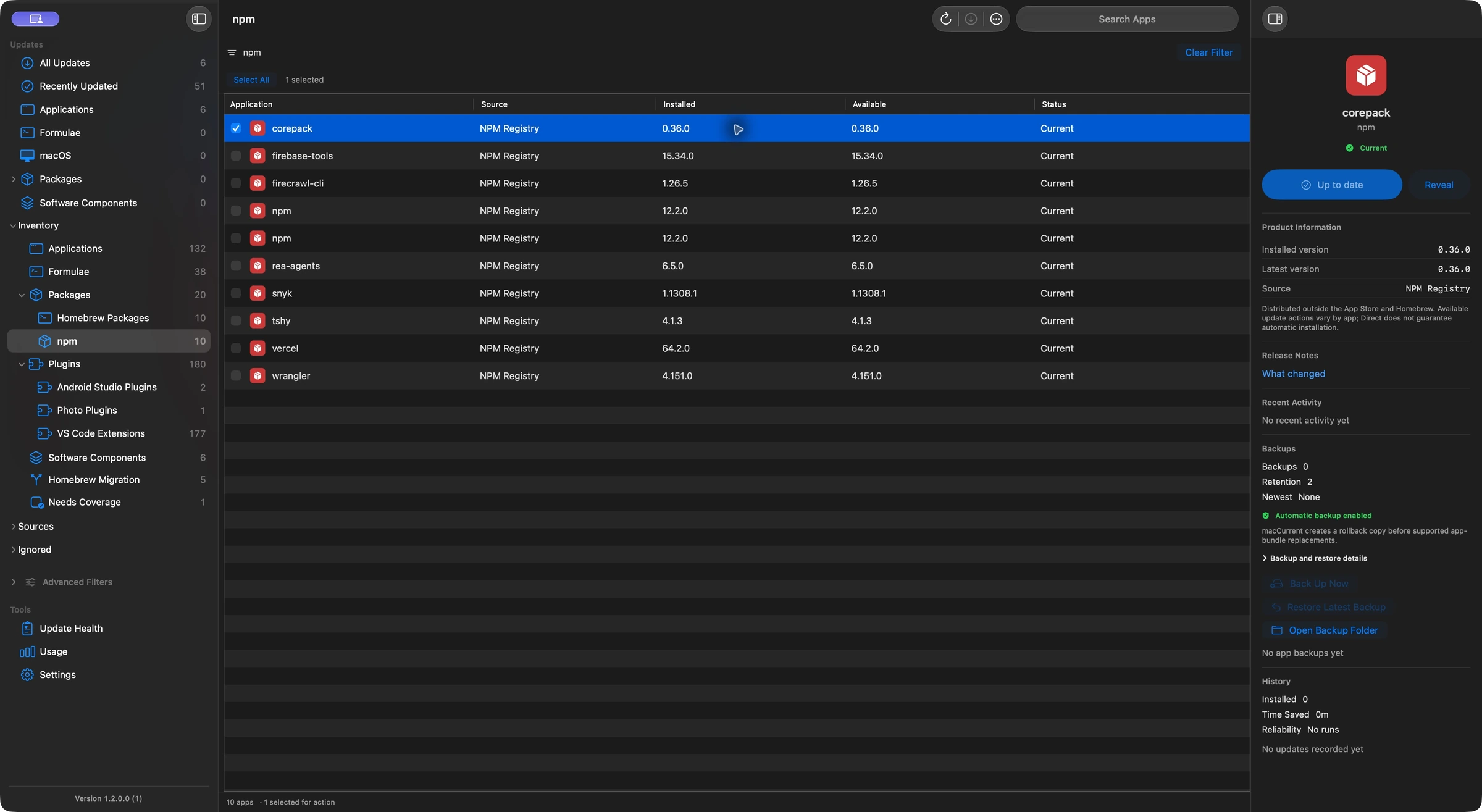
Your tools extend beyond the Applications folder. macCurrent also tracks global npm packages, VS Code extensions, JetBrains and Obsidian plug-ins, and audio plug-ins, with an update action suited to each one.
Global npm packages
Preview builds find packages across supported Node installations, compare public npm releases, and install eligible updates through the npm installation that owns each package. Project dependencies stay with your project tools.
Editor extensions and plug-ins
Review compatible releases for supported VS Code, JetBrains and Obsidian installations. Preview builds update eligible VS Code extensions and Android Studio plug-ins directly, or follow the host app or vendor updater when needed.
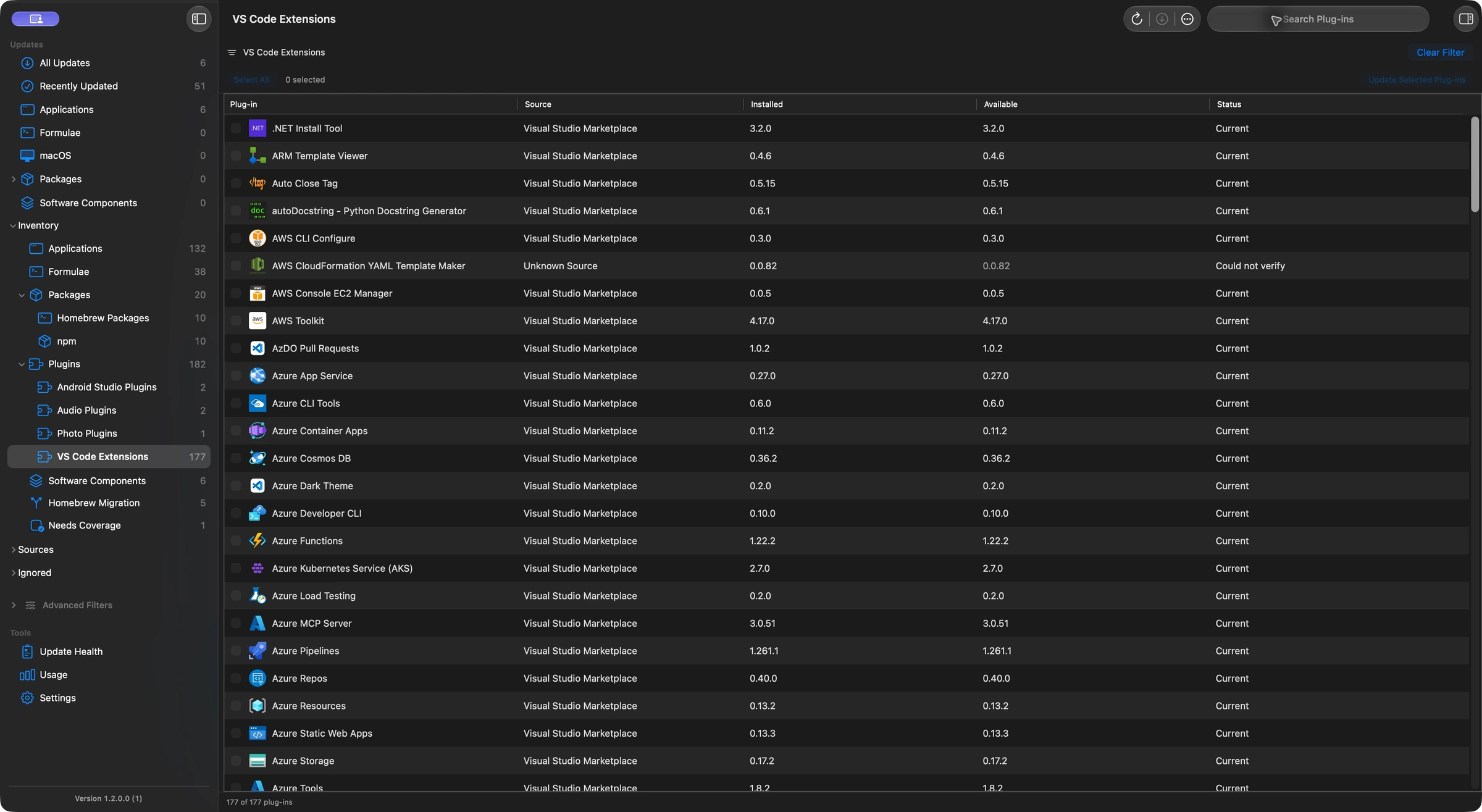
Explore npm package, VS Code extension and Mac plug-in support, including audio formats, multiple installations and the limits of direct updates.
The problem
Your apps don't all update from one place.
Real Macs run App Store apps, Homebrew tools, browser updaters, vendor launchers, direct downloads, and apps that only expose updates inside their own menus.
The usual way SCATTERED
- Open the App Store for some apps.
- Run Homebrew for others.
- Launch browsers, creative tools, and chat apps one by one.
- Search vendor sites when an app can't update itself.
- Lose track of what changed after the update is done.
With macCurrent ONE SWEEP
- See every app with its source and status.
- Review update availability before taking action.
- Back up apps before direct replacement updates.
- Keep per-app history for scans, backups, updates, and failures.
- Open the app's page when manual updating is the safer choice.
Popular apps
Updates for the apps you already use.
macCurrent recognizes common Mac update paths across browsers, developer tools, creative apps, vendor updaters, Homebrew packages, and direct downloads.









Backup & history
Know what changed, and keep a way back.
macCurrent can install supported direct updates and save the old app first. It keeps the backup tied to the original app and records the update result, so you can see what changed.
Back up before replacing
When backup protection is enabled, macCurrent makes a copy before replacing an app directly so you are not left guessing if a release goes sideways.
Open the backup you need
Backups stay attached to the selected app and original install path, with a per-app retention limit and a Finder handoff when you need to inspect one.
Review the app's timeline
Scans, backups, installs, restores, failures, and manual handoffs stay in the app history so support and troubleshooting start with evidence.

Trust boundary
Verified before it replaces anything.
Updating a Mac app means replacing software in your Applications folder. macCurrent checks the source, signature, app identity, and version direction first — then chooses the safest path.
Trusted update channel — App Store receipt, signed appcast, known vendor feed, or Homebrew tap.
Bundle ID and signing-team match — the update must be the same app from the same developer.
No downgrade, no tamper — version direction and archive integrity verified before anything moves.
Install, review, or handoff — the safest path is chosen, never a blind replace.
Sparkle updates are verified against the installed app's EdDSA public key before macCurrent trusts the archive.
Automatic replacement requires the expected bundle ID and a verified signing-team match, so lookalike apps don't slip through.
Downgrades, tampered downloads, cleartext redirects, and unknown installer packages are blocked or opened for review.
Backup readiness, update history, restore activity, and install outcomes stay attached to the app you're reviewing.
Make app updates easier to trust.
Use macCurrent with your real app library, review what it finds, and help shape the update judgment that makes each release safer. Need install steps? See the installation guide and checksums.
Not ready to install? Sign up for macCurrent release announcements.
Just the release announcement. See the privacy policy.