
Press resources
Writing about macCurrent?
Start with the facts below. Use the descriptions and original images in your article, or download them together in one ZIP file. For a hands-on example, see the product walkthrough.
Quick facts
| Question | Answer |
|---|---|
| What is it? | A Mac app updater that finds and installs supported updates, with per-app history |
| Who makes it? | Conduit Technologies, LLC |
| Which Macs can use it? | Apple silicon and Intel Macs on macOS 15 or later |
| What does it cost? | Free during the current preview release, called a release candidate |
| How is it supplied? | A direct download, signed by the developer and notarized by Apple |
| Which release did we check? | 1.2.0.44, build 466, on October 12, 2026 |
Check the installation page and release notes for the latest version and current terms before publishing.
Descriptions you can reuse
Short description
Find and install supported Mac app updates in one place.
Longer description
macCurrent finds and installs supported Mac app updates in one place. It checks apps from the App Store, Homebrew, built-in updaters, and developer websites. You can review an update before installing it. For supported direct updates, macCurrent can install the new version and save the old app first. Some updates still need the App Store or the developer's installer.
Downloadable images
The ZIP includes all four images, the product facts, and the descriptions above. You can also download each image below.
App list overview
JPEG · 4112 × 2446 pixels
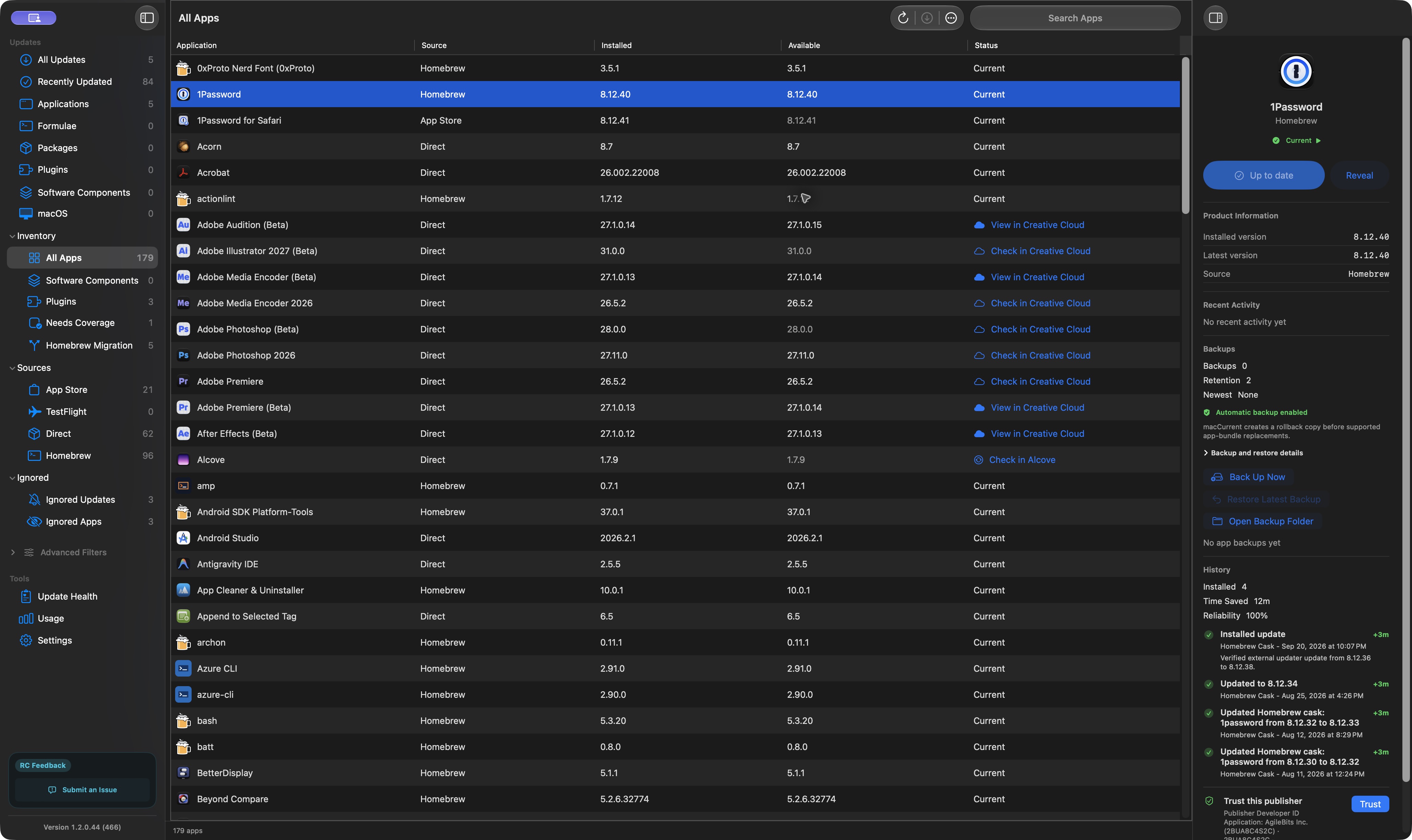
Original macCurrent 1.2.0.44, build 466, screenshot. Captured October 13, 2026. It shows the All Apps list, source labels, and next actions. No update was installed for this capture.
Download App list overview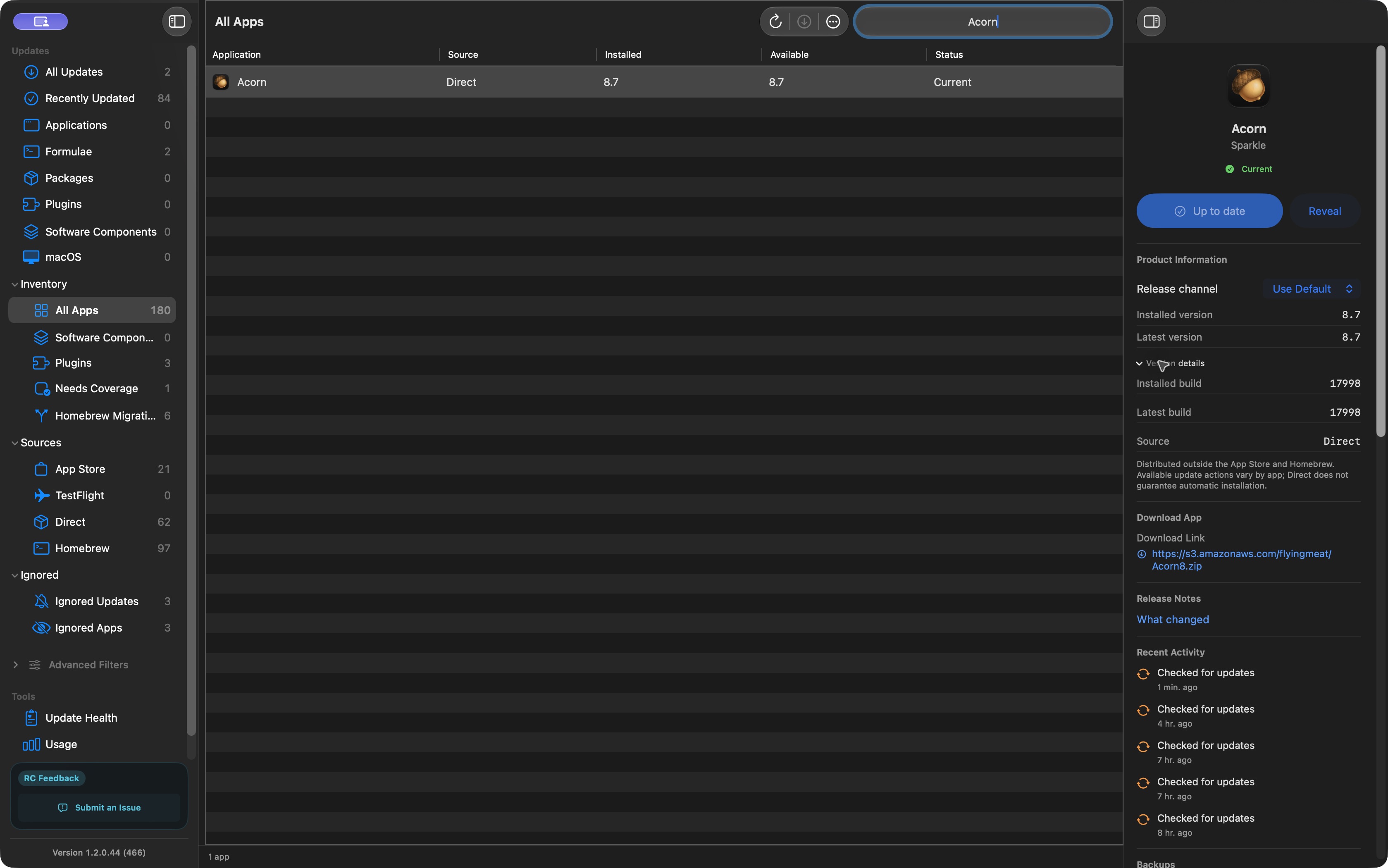
Acorn update example
JPEG · 3358 × 2100 pixels
Original macCurrent 1.2.0.44, build 466, screenshot. Captured October 12, 2026, after the Acorn update. The list is filtered to Acorn.
Download Acorn update example
App icon
PNG · 512 × 512 pixels
Use the app icon in product listings and alongside an article.
Download App icon
Social card
PNG · 1730 × 909 pixels
Brand artwork for article previews and social sharing. This is not an app screenshot.
Download Social cardYou may use these images in editorial coverage of macCurrent. Credit macCurrent / Conduit Technologies, LLC. Include the app version and capture date when using a screenshot.
Press contact
For product questions, interviews, review requests, or corrections, email support@maccurrent.com or use our contact page.
Conduit Technologies, LLC makes macCurrent. Please tell us which publication you write for and what you need for your article.
Review notes
This kit comes from Conduit Technologies, the maker of macCurrent. Reviewers should reach their own conclusions.
If you are testing macCurrent
- Record the app version, macOS version, Mac processor, and test date.
- Compare offered updates with the App Store, Homebrew, or the developer's own update information. Record wrong alerts and missed updates too.
- Choose an update you would normally install. Save your work. Record the version before and after, and follow the action shown.
- For an app macCurrent replaces directly, check its backup. After updating, open the app and check the saved result.
- Only test restore with a noncritical app and separately backed-up data. Record what happened.
An app backup saves the program, not your documents or settings. Finding, downloading, installing, and restoring are separate results. Report only what you tested and disclose any relationship with us.
What our example and safety checks show
The Acorn walkthrough covers one completed update and its backup. It does not test restore, every supported Mac, or other products. The detailed check record is available there.
Developer signing and Apple notarization checks are not an independent security audit. The part of macCurrent that installs with administrator access has not had an independent external security review.
Read about update safety, privacy, and supported update sources for more detail.
Frequently asked questions
Where can I find the current release?
The download page and release notes list the latest version and current terms. The dated screenshots in this kit show macCurrent 1.2.0.44, build 466.
Can I use the screenshots?
Yes, in editorial coverage of macCurrent with credit to macCurrent / Conduit Technologies, LLC. Keep the screenshot's release version and capture date.